
More time for Torah and people, less for the paperwork.
Bimah Notes turns Claude, ChatGPT, Gemini or Grok into a careful study partner and assistant for rabbis. Outline a d'var Torah from this week's parashah with sources named, find Hebrew dates and portions, plan bar and bat mitzvah study, prepare for weddings, funerals and shiva, and draft the bulletin. It asks your movement and never rules on halakhah for you.
Get Bimah Notes Rabbi Desk for $5 Convert date
$5 once · card, Apple Pay or Google Pay · download in a minute
Into more than one hobby? Get all 70 hobby skills for $19, this one included.
- One-time $5
- Instant email delivery
- 14-day refund
- Works in Claude, ChatGPT, Gemini and Grok
D'var Torah plan: Parashat Vayetzei
Shabbat, Nov 21, 2026 · 11 Kislev 5787 · Conservative shul · 7 minutes
Movement: ConservativeHebrew with transliterationSources named, not invented
- TextJacob at Bethel, Genesis 28:10 to 22Focus verse 28:16: "and I did not know it"Anchor
- SourceBerakhot 26b: Jacob instituted ArvitRashi on 28:11 reads vayifga as prayerTalmud
- IdeaHoliness we walk past without noticingOne idea, two stories, one askTheme
- AskName one ordinary place where God might be this weekA question for the kiddush tableClose
- NextChanukah begins at sundown Fri, Dec 4Shabbat Chanukah is Parashat Vayeshev, Dec 5Calendar
The week of a congregational rabbi, organized
One skill, six jobs. Claude, ChatGPT, Gemini or Grok picks the right one from what you ask.
Parashah study
Themes, structure, key Hebrew words with transliteration, and where Rashi, Ramban, midrash and modern voices take it, named so you can check them.
D'var Torah and sermon outlines
One clear idea, an opening, two or three moves from the text and a close, timed for Shabbat morning, Kabbalat Shabbat or the High Holy Days.
The Jewish calendar
Hebrew dates, holidays, portions for the diaspora or Israel, and what is coming, with exact times left to your luach.
Bar and bat mitzvah prep
Dates and portions, a study plan from the first meeting to the bimah, and family letters.
Weddings, funerals and shiva
Checklists, ceremony outlines and what to tell families, by your movement's practice.
Congregational writing
Bulletin columns, holiday letters, condolence notes, board updates and gentle reminders.
Ask it the way you'd ask a study partner
It knows the calendar and the sources, asks your movement, and leaves rulings to you.
Her Hebrew birthday: 2 Adar II
Born after sunset on March 3, 2014, her Hebrew birth date is 2 Adar II 5774. Her 13th Hebrew birthday, 2 Adar II 5787, is Thursday, March 11, 2027, beginning at sundown on Wednesday, March 10. Both years are leap years, so Adar II carries over with no special rule.
Shabbatot that work
- March 13, 2027: Parashat Pekudei (Exodus 38:21 to 40:38)
- March 20: Parashat Vayikra, the start of Leviticus
- March 27: Parashat Tzav
These are the diaspora readings; Israel's are the same those weeks.
One question for you
Many Reform communities celebrate at 13 for both boys and girls, as I've assumed. If your community celebrates girls at 12, her date was 2 Adar 5786, February 19, 2026, so she'd already be bat mitzvah.
Example answer from the full skill. Your answers depend on what you ask.
Honest about its place
A rabbi's study, judgment and relationships can't be outsourced. Bimah Notes speeds up the preparation around them.
- No halakhic rulingsQuestions of practice go to you, your posek or your movement's responsa. It lays out the sources and the range of views.
- Every movementOrthodox, Conservative, Reform and Reconstructionist practice differ. It asks, or says which it assumed.
- Sources by nameIt cites the portion, tractate, Rambam or Shulchan Aruch section and never invents a quotation. Check it in the text.
- Times from your luachCandle-lighting, havdalah and fast times depend on location. It points you to your luach or a trusted calendar.
Up and running in two minutes
No app to learn and nothing to install on your computer. It lives inside Claude, ChatGPT, Gemini or Grok.
Buy once
Pay $5 by card, Apple Pay or Google Pay. Your download link arrives by email in about a minute.
Add it to Claude, ChatGPT, Gemini or Grok
Upload the ZIP under Skills in Claude, or the unzipped folder in Gemini. It takes about 30 seconds. In Grok, upload the ZIP, or paste the included paste-in file into a new skill. In ChatGPT, add the included paste-in file to a Project.
Just ask
"Outline a d'var Torah on Vayetzei." "When is this bar mitzvah, and what's the portion?" "Draft a shiva minyan notice."
Pick your app for the exact clicks
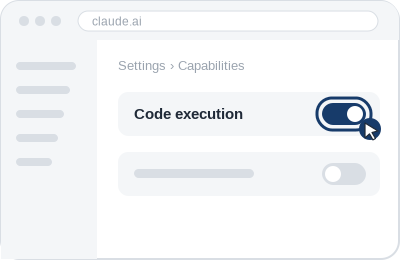
1In Settings, then Capabilities, turn on code execution.
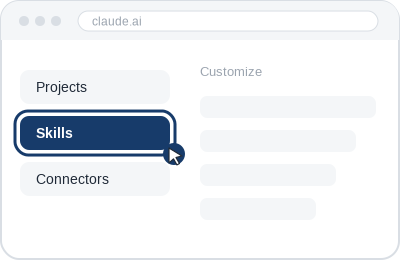
2Open Customize, then Skills.
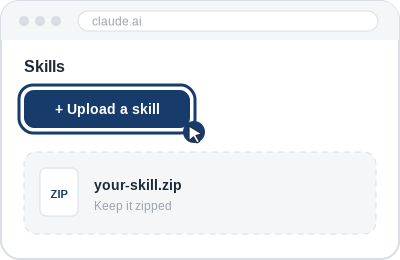
3Click +, choose Upload a skill, pick the ZIP. Keep it zipped.
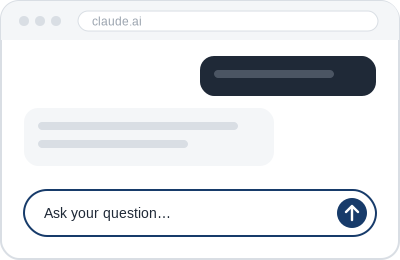
4Start a new chat and ask. Claude picks up the skill.
Works on every Claude plan, including the free one. Free plans have lower usage limits.
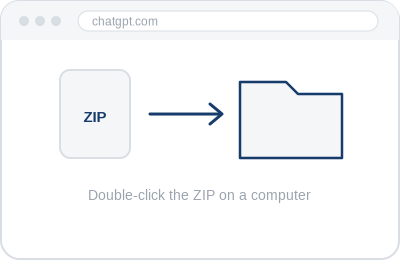
1On a computer, unzip the download and find ANY-AI-PASTE-VERSION.txt.
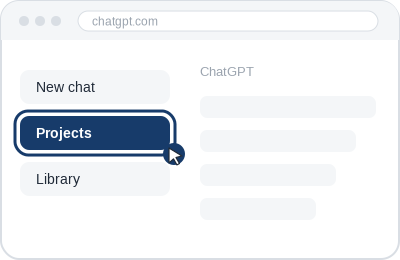
2In ChatGPT, open Projects and make a new project.
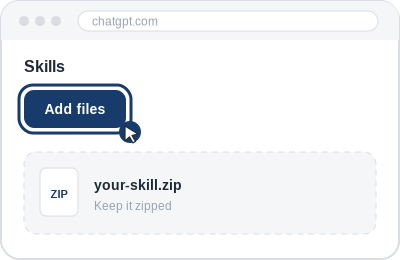
3Add the .txt file to the project. In its instructions, type: Follow the attached file.
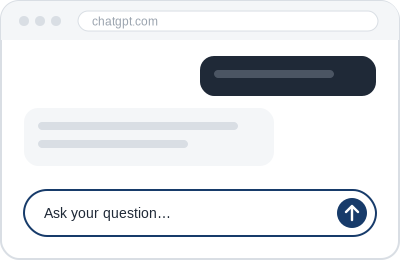
4Start a chat in that project and ask. On a Business, Enterprise or Edu plan, you can upload the ZIP under Skills instead.
Personal ChatGPT plans (Free, Plus, Pro) don't have a Skills page yet, so you use the paste-in version in a Project. On a Business, Enterprise or Edu plan, go to chatgpt.com/skills, choose Add, then Upload from your computer.
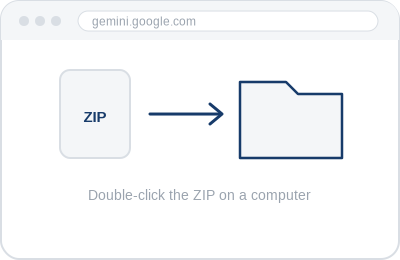
1On a computer, unzip the download. You get a folder.
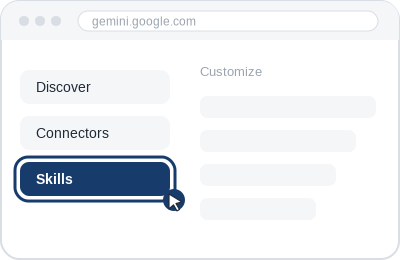
2At gemini.google.com, open Customize, then Skills.
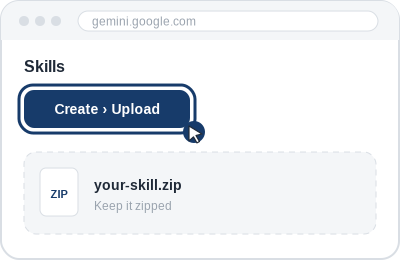
3Choose Create, then Upload, then folder. Pick the unzipped folder.
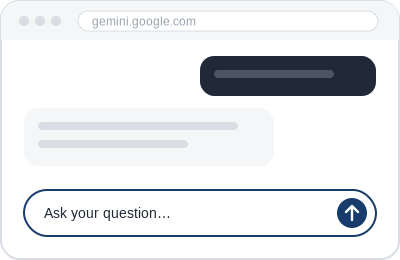
4Start a new chat and ask.
Gemini takes the unzipped folder, not the ZIP. Menus in Gemini change often, so names may differ slightly.
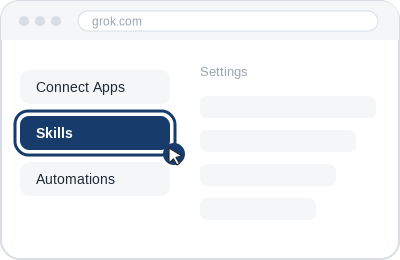
1At grok.com, open Settings, then Skills.
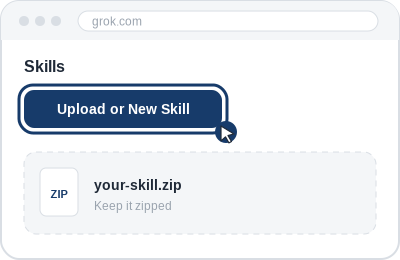
2If you see Upload, pick the ZIP. If you only see New Skill, use the next step.
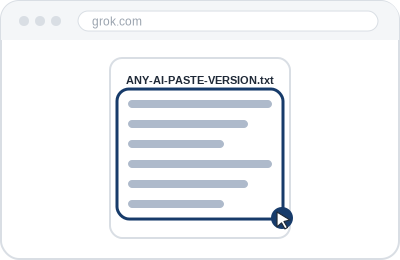
3New Skill: name it, then paste the text of ANY-AI-PASTE-VERSION.txt (below the line of equals signs) into Instructions.
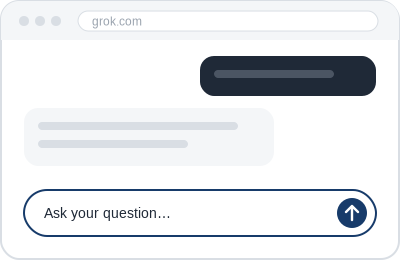
4Save it, start a new chat and ask.
Some Grok plans upload the ZIP; others show a New Skill form, where you paste the skill text in. Menus in Grok change often, so names may differ slightly.
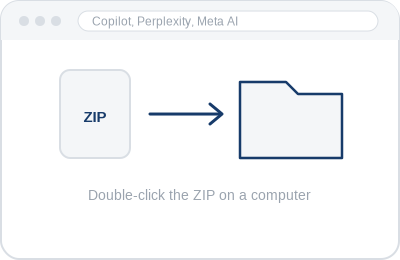
1No Skills page? Unzip the download on a computer.
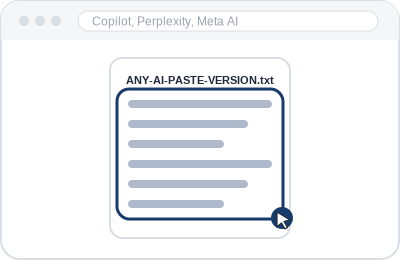
2Open ANY-AI-PASTE-VERSION.txt and copy everything.
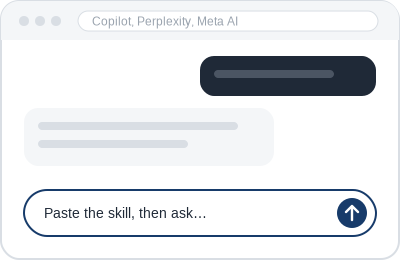
3Paste it into a new chat, then ask your question.
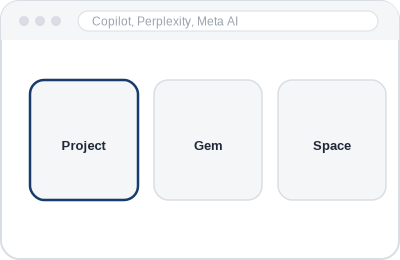
4To keep it on, add it to a ChatGPT Project, Gemini Gem or Perplexity Space.
Using Claude Code, Codex, Cursor or another coding agent? Unzip it into the skills folder, for example unzip bimah-notes-rabbi-desk.zip -d ~/.claude/skills/
On your phone? Go ahead and buy: the download link goes to your email and works for a year. Adding a skill is easiest from a computer, in a web browser or the desktop app, so open that email there when you're ready. Want to try it on your phone today? Open the ZIP, copy ANY-AI-PASTE-VERSION.txt into any chat app, and ask.
Start with the free Parashah Sheet
A small skill that builds a one-page study sheet for any week's portion: summary, key verses, Hebrew words, discussion questions and a d'var Torah seed.
- The week's portion and its date
- Key verses and Hebrew terms with transliteration
- Questions for a class or the Shabbat table
Get Bimah Notes Rabbi Desk
Pay once, use it whenever you need it. Includes the free Parashah Sheet too.
How to add it
Upload the ZIP under Skills in Claude, or the unzipped folder in Gemini (in Grok, upload the ZIP or paste the paste-in file into a new skill; in ChatGPT, add it to a Project), then start a new chat and try: "I'm a Conservative rabbi. Help me outline a 7-minute d'var Torah on this week's parashah, with sources named."
See the clicks for your app. Every download also comes with a paste-in version for any other chat, and a Start Here PDF.
Step-by-step guides with pictures: Claude · ChatGPT · Gemini · Grok
Bimah Notes Rabbi Desk
Study, sermons, the calendar, life-cycle events and congregational writing.
$5 one time
- Parashah study with named sources
- D'var Torah and High Holy Day sermon outlines
- Hebrew dates, holidays and portions
- Bar and bat mitzvah study plans and family letters
- Wedding, funeral and shiva guides
- Bulletin, holiday and condolence writing
- Updates for a year
Card, Apple Pay or Google Pay through Stripe. Taxes calculated at checkout. 14-day refund.
Giving it as a gift? Buy it, forward the email, and print a gift card.
See a real answer from the full skill
You ask: A Reform family wants their daughter's bat mitzvah date. She was born March 3, 2014, in the evening, after sunset. What's her date and portion?
Her Hebrew birthday: 2 Adar II
Born after sunset on March 3, 2014, her Hebrew birth date is 2 Adar II 5774. Her 13th Hebrew birthday, 2 Adar II 5787, is Thursday, March 11, 2027, beginning at sundown on Wednesday, March 10. Both years are leap years, so Adar II carries over with no special rule.
Shabbatot that work
- March 13, 2027: Parashat Pekudei (Exodus 38:21 to 40:38)
- March 20: Parashat Vayikra, the start of Leviticus
- March 27: Parashat Tzav
These are the diaspora readings; Israel's are the same those weeks.
One question for you
Many Reform communities celebrate at 13 for both boys and girls, as I've assumed. If your community celebrates girls at 12, her date was 2 Adar 5786, February 19, 2026, so she'd already be bat mitzvah.
Into more than one hobby? The Skill Pass gets you all 70 hobby skills, this one included, for $19.
New to AI skills?
Bimah Notes is a skill: a set of expert instructions you add to your own Claude, ChatGPT, Gemini or Grok account, so it answers like a rabbi's study partner who knows the craft.
- Using Gemini? Unzip it and upload the folder on its Skills page. Using Grok? Under Settings, Skills, upload the ZIP or paste the paste-in file into a new skill. Using ChatGPT? Add the included paste-in file to a Project.
- New to all of them? Claude is an AI assistant made by Anthropic. Make an account at claude.ai: skills work on every Claude plan, including the free one, with code execution turned on in Settings, Capabilities.
- Try the free Parashah Sheet skill first. If you like it, the full skill is one purchase.
Not ready for an AI app? The free Hebrew date converter and Torah portion finder on this site works in any browser, no account needed.
Free rabbinic tools
No sign-up, they run in your browser.
Made by Nic Hubert, What If Labs
I run What If Labs from British Columbia, Canada. I build each skill with AI help and test it on real questions, and a separate reviewer checks it before it goes on sale. If it doesn't do what this page says, email me at hello@whatiflabs.ai and I'll fix it or refund you.
No reviews yet: this store is new. Tell me how it went and I'll use it to make the skill better.
Questions
Which movements does it work for?
Orthodox, Conservative, Reform, Reconstructionist, Renewal and independent communities. Tell it yours, and it frames practice, liturgy and language to match, and says so when communities differ.
Will it tell me what the halakhah is?
No. It can lay out the main sources and how different authorities and movements have approached a question, but rulings belong to you, your posek or your movement's responsa committee.
Can it give exact Shabbat and holiday times?
No. Candle-lighting, havdalah and fast times depend on your location, so it points you to your synagogue's luach or a trusted calendar. It does work out Hebrew dates, holidays and the weekly portion.
Does it quote sources?
It names sources precisely (book, chapter and verse, tractate and page, Rambam or Shulchan Aruch section) and paraphrases unless you give it the text. Always check a citation before you use it.
What do I need to use it?
A Claude, ChatGPT, Gemini or Grok account. In Claude it works on any plan, including the free one, with code execution turned on (Settings, Capabilities). Free accounts have lower usage limits, so long planning sessions go further on a paid plan. It works in Claude on the web, the desktop app and Claude Code. In Gemini and Grok, upload it on the Skills page. In ChatGPT, personal plans (Free, Plus, Pro) don't have Skills yet, so you add the included paste-in file to a ChatGPT Project; Business, Enterprise and Edu plans can upload the ZIP under Skills. Coding agents that read SKILL.md files work too. Using Copilot, Perplexity, Meta AI or another chat with no Skills page? Every download includes a paste-in version (ANY-AI-PASTE-VERSION.txt) that works in any AI chat.
What if it doesn't work for me?
Email hello@whatiflabs.ai within 14 days of buying and we'll refund you in full. No forms, no questions.
How is this different from just asking an AI?
A general AI answer is often vague or skips steps. The skill gives your AI an expert's method: what to ask you first, the checklists and calculations to run, and the mistakes to warn you about. You get consistent, specific answers instead of a different guess each time.
Do I pay every month?
No. It's a one-time price, and updates to the skill are free.
Can I get a refund?
Yes. Every purchase comes with a 14-day refund, no questions asked. Reply to your receipt email and we'll take care of it.
What if it gets something wrong?
It shows its working, so you can check numbers and dates. Tell it what's off and it will correct itself. For anything where a mistake costs money or safety, double-check before you act, as you would with any advice.
Is my information private?
The skill runs inside your own Claude, ChatGPT, Gemini or Grok account, and we never see your chats. When you buy, Stripe handles the payment and we keep your email and order so we can send the download. The terms and privacy page has the details.